Metabase
Example
note
Refresh to load the dashboard.
Visit: http://metabase.lelouvincx.com/public/dashboard/73d21305-875e-4e83-b413-65e110f57519
Crash Course
Take this course: https://www.youtube.com/playlist?list=PLzmftu0Z5MYGY0aA3rgIGwSCifECMeuG6
Concepts
Document: https://www.metabase.com/learn/metabase-basics/overview/concepts
1. Data Layer
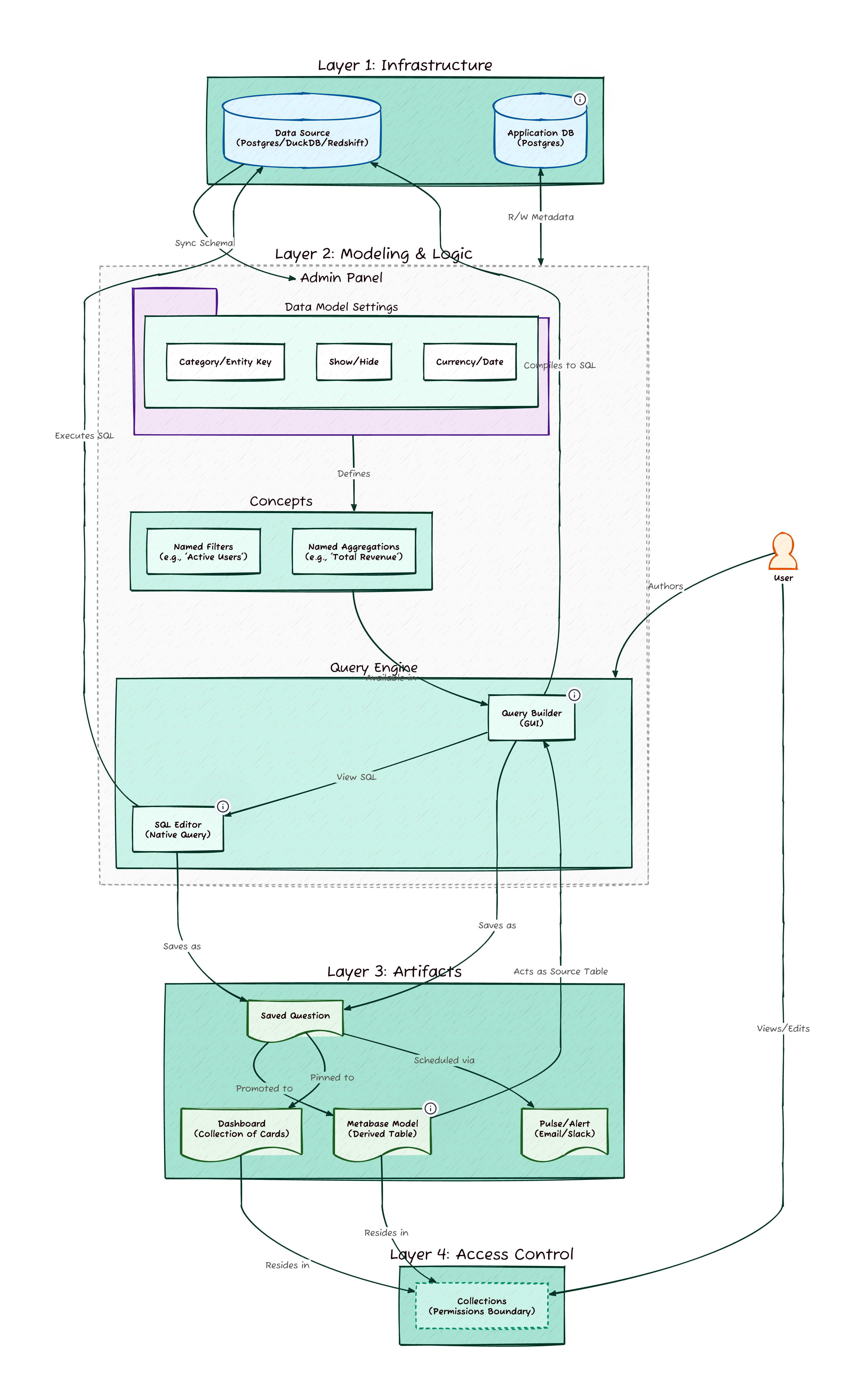
At the foundation are your Raw Tables connected from the data warehouse (e.g., DuckDB).
- Analyst Action: You typically do not alter these. You simply read from them.
- Metadata: Metabase scans these tables to understand field types (Dates, Categories, Foreign Keys), which powers the filtering options in the GUI.
2. Logic Layer
This is the workspace where questions are asked. There are two distinct paths:
-
Native Query (SQL - recommended):
- Usage: For complex joins, window functions, or CTEs that the GUI cannot handle.
- Trade-off: SQL queries often bypass the Semantic Layer (Segments/Metrics) and cannot always be drilled into as easily as GUI questions.
-
GUI / Query Builder:
- Usage: The "No-Code" interface.
- Benefits: It automatically utilizes Segments (pre-defined filters like "Active Users") and Metrics (pre-defined math like "Revenue") set up by Admins.
- Drill-through: Questions built here allow users to click into charts to see underlying records.
3. Semantic Layer
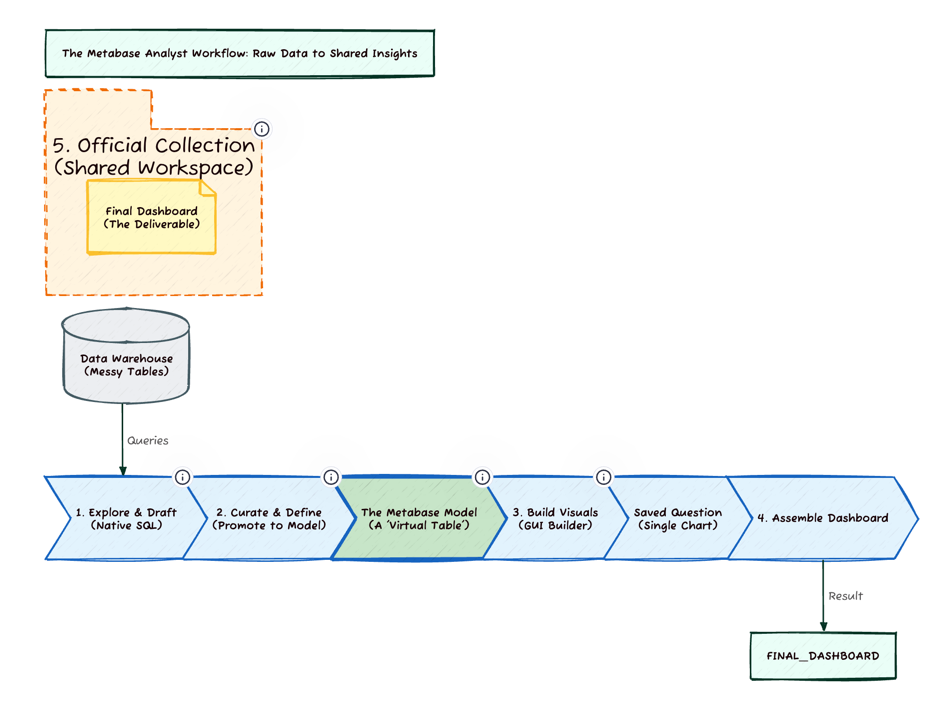
- Concept: A Model is a "Virtual Table."
- Workflow: An Analyst writes a complex SQL query converts it into a Model adds metadata (column descriptions, types).
- Value: This converts raw, messy data into a clean, drag-and-drop table for non-technical business users. It acts as the bridge between the Data Engineer and the Business User.
4. Collections
- Concept: Collections are folders that handle Access Control.
- Usage:
- Personal Collection: Your private scratchpad.
- Official Collections: Shared spaces (e.g., "Marketing", "Executive") where permissions determine who can view or edit the Dashboards inside.
5. Presentation
- Saved Questions: The atomic unit of analysis. A single chart or table.
- Dashboards: A canvas grouping multiple Saved Questions together with shared filters.
- Pulses/Subscriptions: Automated pushes of data (via Slack or Email) sent on a schedule.
Workflow